
Introduction
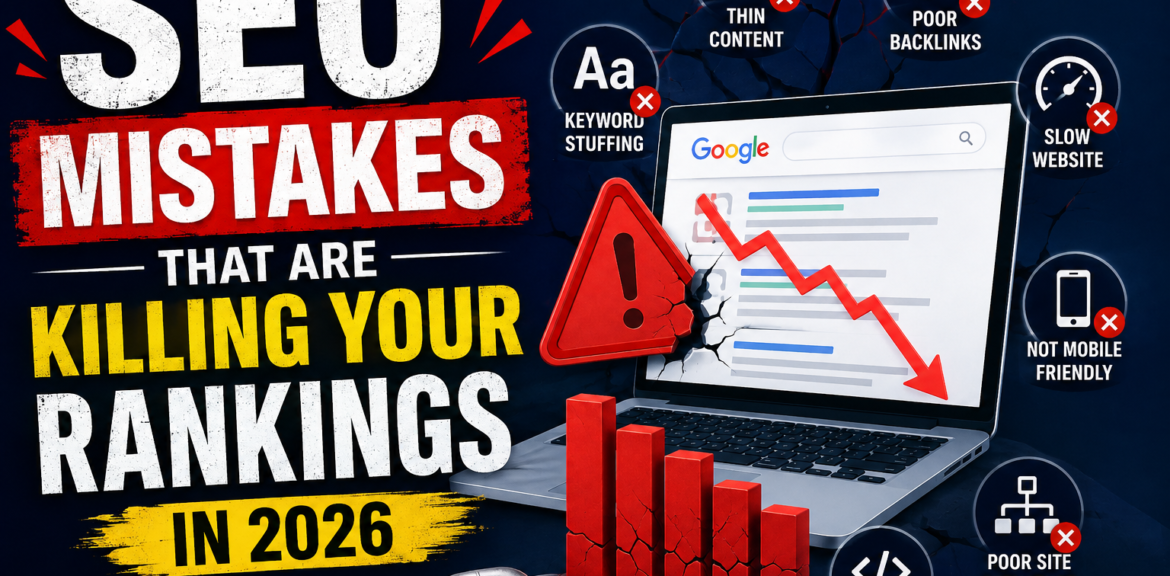
Have you been wondering why your website isn’t ranking on Google despite publishing new content regularly? You’re not alone. Many website owners invest time and effort into creating blogs and optimizing their pages, yet they still struggle to appear on the first page of search results.
The truth is that even small SEO mistakes can significantly impact your website’s visibility. Google’s algorithms have become smarter than ever, rewarding websites that provide excellent user experiences while penalizing those that rely on outdated or poor SEO practices.
Whether you’re running a business website, an eCommerce store, or a personal blog, avoiding common SEO mistakes is essential if you want to improve your rankings and attract more organic traffic.
In this guide, we’ll discuss the most common SEO mistakes that are hurting your rankings and show you exactly how to fix them.
Why Avoiding SEO Mistakes Is Important
Search Engine Optimization isn’t just about adding keywords to your content. Google evaluates hundreds of ranking factors, including content quality, website speed, mobile usability, user experience, backlinks, and technical performance.
Ignoring these factors can lead to:
- Lower keyword rankings
- Reduced organic traffic
- Poor user experience
- Low conversion rates
- Difficulty getting indexed
- Loss of credibility
The good news is that most SEO mistakes can be fixed with the right strategy.
1. Ignoring Search Intent
Why It Hurts Your Rankings
One of the biggest SEO mistakes is creating content without understanding what users actually want. Even if you target the right keyword, your page won’t rank well if it doesn’t match the search intent.
For example, someone searching for “best SEO tools” expects a comparison article, not a sales page. Similarly, a user searching for “how to improve website speed” wants a practical guide with actionable steps.
How to Fix It
Before writing any content:
- Analyze the top-ranking pages for your target keyword.
- Understand whether users are looking for information, products, or services.
- Create content that answers their questions completely.
- Focus on solving real problems instead of simply adding keywords.
When your content matches user intent, visitors stay longer on your website, improving engagement signals that help boost rankings.
2. Keyword Stuffing
Why It Hurts Your Rankings
Years ago, repeating the same keyword multiple times was considered an SEO strategy. Today, keyword stuffing makes content difficult to read and can negatively affect your rankings.
Google understands context and related terms, so there’s no need to force keywords into every sentence.
How to Fix It
Write naturally and prioritize readability.
Instead of repeating the exact keyword, use related phrases and semantic keywords throughout the article. Place your primary keyword in the title, introduction, headings, meta title, and naturally within the content.
Remember, write for people first and search engines second.
3. Publishing Thin or Low-Quality Content
Why It Hurts Your Rankings
Google’s Helpful Content System rewards content that genuinely helps users. Short articles with little information, duplicate content, or AI-generated text without editing rarely perform well.
Visitors leave quickly when they don’t find useful information, increasing bounce rates and reducing rankings.
How to Fix It
Create comprehensive articles that answer every important question about the topic.
Include:
- Practical examples
- Actionable tips
- Step-by-step instructions
- Statistics where relevant
- Frequently asked questions
- Clear explanations
High-quality content builds trust and encourages users to spend more time on your website.
4. Weak On-Page SEO
Why It Hurts Your Rankings
Even great content can struggle if it’s not properly optimized.
Missing title tags, poorly written meta descriptions, incorrect heading structures, and unoptimized images make it difficult for search engines to understand your page.
How to Fix It
Optimize every page by including:
- A compelling SEO title
- A unique meta description
- One H1 heading
- Well-structured H2 and H3 headings
- Descriptive image alt text
- Internal links to related pages
- Clean, readable URLs
Good on-page SEO improves both rankings and click-through rates.
5. Slow Website Speed
Why It Hurts Your Rankings
Website speed directly affects user experience. If your pages take too long to load, visitors are likely to leave before they even see your content.
Google also considers page speed a ranking factor, especially for mobile searches.
How to Fix It
Improve loading speed by:
- Compressing images without losing quality.
- Using reliable web hosting.
- Enabling browser caching.
- Minimizing CSS and JavaScript files.
- Using a Content Delivery Network (CDN).
- Removing unnecessary plugins and scripts.
A faster website keeps visitors engaged and improves search performance.
6. Ignoring Mobile Optimization
Why It Hurts Your Rankings
Most online searches now happen on mobile devices. Google uses mobile-first indexing, meaning it primarily evaluates the mobile version of your website.
A poor mobile experience can reduce rankings even if your desktop site performs well.
How to Fix It
Make sure your website:
- Uses a responsive design.
- Loads quickly on smartphones.
- Has easy-to-read fonts.
- Includes clickable buttons with proper spacing.
- Provides simple navigation.
Testing your website across different devices helps identify usability issues before they affect rankings.
7. Not Building Quality Backlinks
Why It Hurts Your Rankings
Backlinks remain one of Google’s strongest ranking signals. Without backlinks from trustworthy websites, it can be difficult to compete for competitive keywords.
However, buying low-quality links or participating in link schemes can lead to penalties.
How to Fix It
Focus on earning natural backlinks by:
- Publishing original research.
- Writing in-depth guides.
- Creating useful infographics.
- Guest posting on reputable websites.
- Building relationships within your industry.
Quality is far more important than quantity.
8. Poor Internal Linking
Why It Hurts Your Rankings
Internal links help search engines understand your website structure and distribute authority between pages.
Without internal links, valuable pages may remain hidden from both users and search engines.
How to Fix It
Link related blog posts and service pages naturally.
For example:
- Connect beginner guides to advanced tutorials.
- Link service pages to relevant blog articles.
- Use descriptive anchor text instead of generic phrases like “Click Here.”
A strong internal linking strategy improves navigation and helps search engines crawl your website more efficiently.
9. Never Updating Old Content
Why It Hurts Your Rankings
SEO is constantly evolving. Articles published years ago may contain outdated information, broken links, or old statistics.
As competitors publish newer content, your rankings may gradually decline.
How to Fix It
Review your existing content regularly and:
- Update outdated information.
- Add recent statistics.
- Improve formatting.
- Expand sections with new insights.
- Replace broken links.
- Optimize for new keywords.
Refreshing content often produces faster SEO gains than creating entirely new articles.
10. Ignoring Technical SEO
Why It Hurts Your Rankings
Technical SEO ensures search engines can crawl, index, and understand your website correctly.
Problems such as broken links, duplicate content, incorrect redirects, missing XML sitemaps, crawl errors, and indexing issues can significantly reduce visibility.
How to Fix It
Perform regular technical SEO audits.
Check for:
- Crawl errors
- Broken links
- Duplicate pages
- Redirect issues
- XML sitemap errors
- Robots.txt problems
- Core Web Vitals performance
- HTTPS security
Fixing technical issues helps search engines access your content more efficiently.
Bonus Tips to Improve Rankings
In addition to avoiding these mistakes, you can strengthen your SEO strategy by:
- Publishing fresh content consistently.
- Optimizing for featured snippets.
- Adding FAQ sections.
- Improving user experience.
- Monitoring keyword performance.
- Tracking SEO progress using Google Search Console and Google Analytics.
Small improvements made consistently often produce significant long-term results.
Frequently Asked Questions
What is the biggest SEO mistake?
Ignoring search intent is one of the biggest mistakes. If your content doesn’t satisfy what users are looking for, it’s unlikely to rank well regardless of keyword optimization.
Can SEO mistakes completely stop rankings?
Yes. Serious issues such as duplicate content, poor technical SEO, manual penalties, or slow-loading pages can significantly reduce or even eliminate your visibility in search results.
How long does it take to recover from SEO mistakes?
The recovery time depends on the issue. Minor fixes may show improvements within a few weeks, while major technical or content-related changes can take several months to reflect in search rankings.
Should I update old blog posts?
Absolutely. Updating older content with fresh information, improved structure, and current SEO best practices can often boost rankings and increase organic traffic.
Final Thoughts
SEO success isn’t about finding shortcuts—it’s about avoiding costly mistakes and consistently following best practices. By understanding user intent, creating valuable content, optimizing your pages, improving technical performance, and maintaining a user-friendly website, you give your content the best chance to rank higher on Google.
Regularly audit your website, monitor your performance, and continue refining your strategy. SEO is an ongoing process, and every improvement you make today can contribute to stronger rankings, increased organic traffic, and long-term business growth.